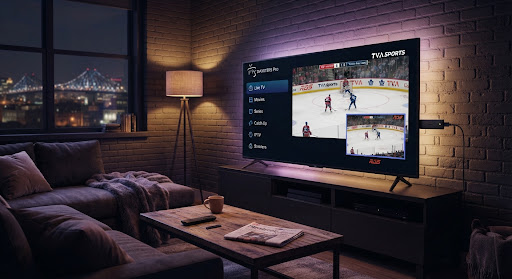

IPTV Smarters Pro is the most widely used free IPTV player in Canada, and for good reason: it runs on almost everything — Fire TV, Android, Samsung, iPhone and iPad — with the same simple Xtream Codes login. It has no channels of its own; you bring your own subscription, and the app plays it.
This guide walks you through installing IPTV Smarters Pro and logging in on each device, plus the two or three settings that make the difference between smooth 4K and constant buffering.
What you need before starting
Your device
Fire TV Stick, Android phone or box, Samsung Smart TV, or iPhone / iPad.
25 Mbps+ connection
Stable speed for 4K without freezing — 5 GHz Wi-Fi or Ethernet is best.
Xtream credentials
Server URL, username and password provided with your subscription.
Quick access codes 2026
Open Downloader and type one of the following short codes in the address bar.
Both codes lead to the official files published by each app’s developer. Avoid modified versions offered elsewhere: they receive your login details with no guarantee about where they come from (modified IPTV apps: the risks).
Install on Fire TV Stick
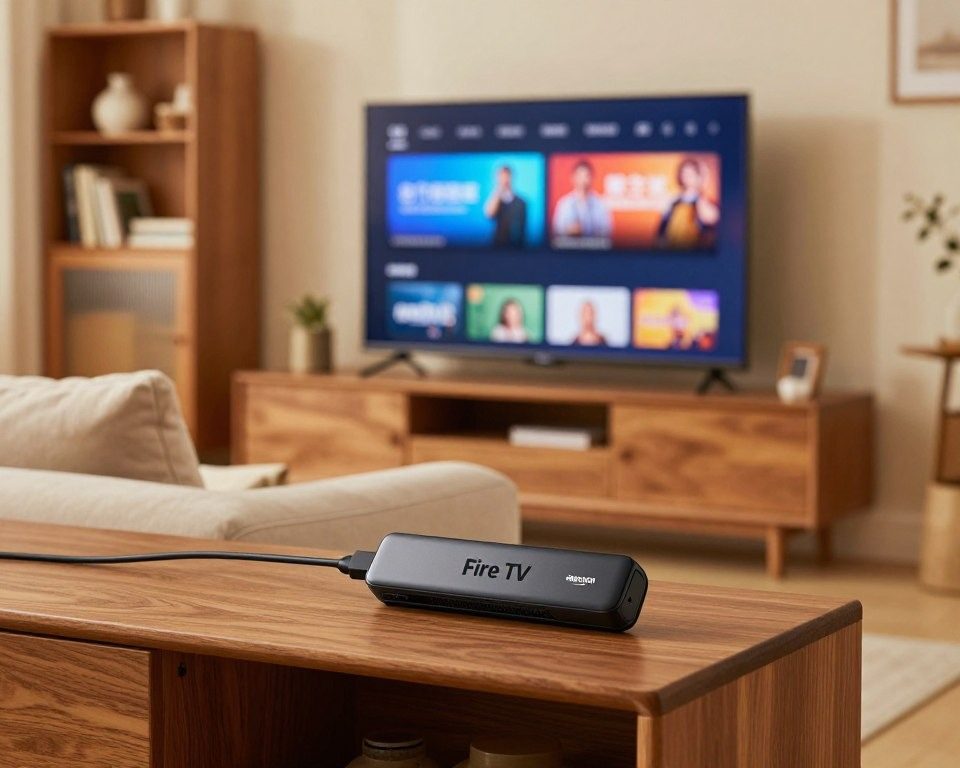
On Fire TV, IPTV Smarters Pro is side-loaded with the free Downloader app.
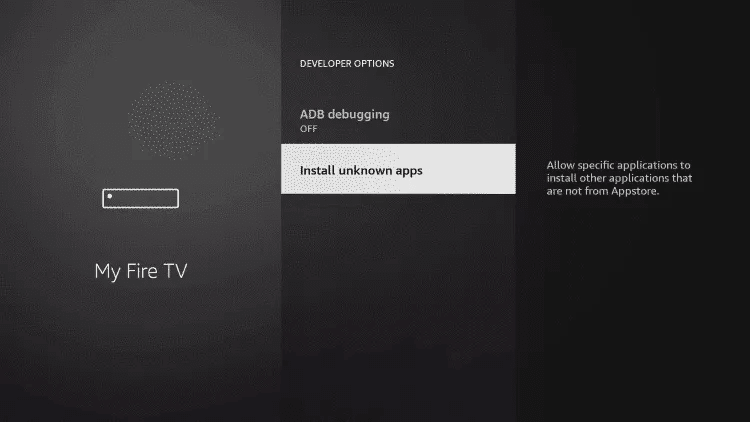
Allow unknown apps
Settings › My Fire TV › Developer options › Install unknown apps, and enable it for Downloader.
Install Downloader
Search 'Downloader' in the Fire TV store, install the orange app by AFTVnews and open it.
Download the app
In the Downloader URL box, enter code 6468112, press Go, then Install when the file finishes.
Log in
Open IPTV Smarters Pro and follow the Xtream Codes login below.
Install on Android (phone or box)
Open Google Play
On an Android phone or Android TV box, search 'IPTV Smarters Pro' in the Play Store.
Install and open
Tap Install, then open the app once it finishes.
Log in
Choose 'Login with Xtream Codes API' and enter your credentials.
Install on Samsung Smart TV
Samsung TVs run Tizen, and the official app is not always available in the Samsung store. Two reliable routes:
Add a small box (recommended)
Plug in a Fire TV Stick or Android box and run IPTV Smarters on it — best picture and full app features.
Built-in web player
On Tizen, use the TV's web/app player with your M3U or Xtream login. Simpler, but fewer features than the full app.
Install on iPhone or iPad
Open the App Store
Search 'IPTV Smarters' on your iPhone or iPad and install the free app.
Allow local network
On first launch, allow the local-network prompt so playback works on your Wi-Fi.
Log in
Choose 'Login with Xtream Codes API' and enter your Server URL, username and password.
The Xtream Codes login (all devices)
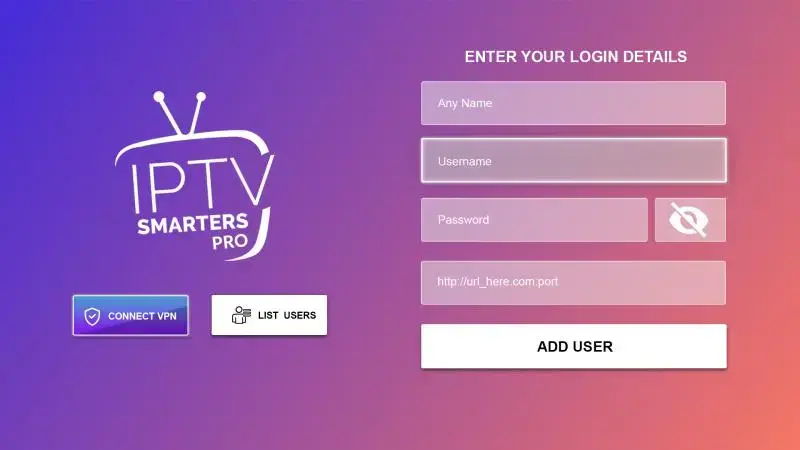
The login screen is the same everywhere, and it is the method we recommend over a plain M3U URL because it separates Live TV, Movies and Series.
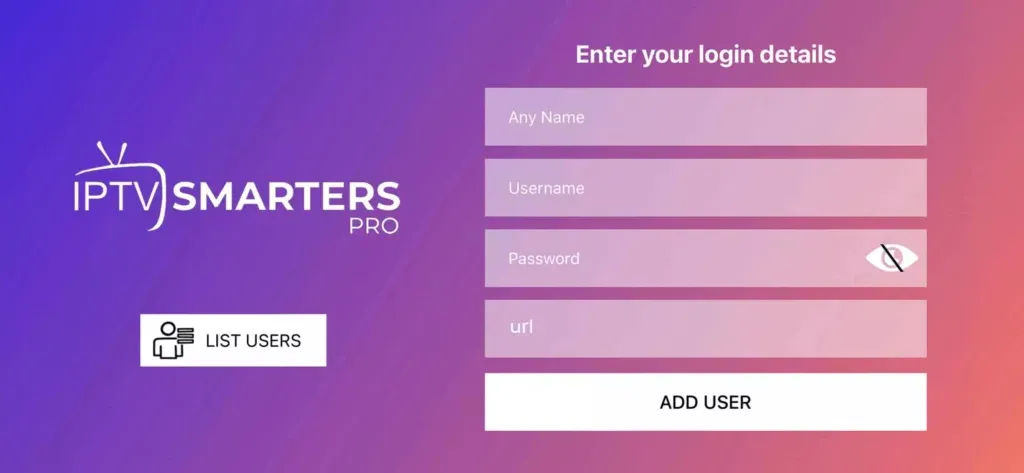
Choose Xtream Codes API
On the login screen, pick 'Login with Xtream Codes API' rather than M3U URL or file.
Enter a name
Type any name you like for the profile, e.g. 'IPTV Québec HD'.
Enter your credentials
Add the Server URL, Username and Password from your subscription — exactly as sent, no extra spaces.
Add and enjoy
Confirm; the channels, movies and series load in seconds. Your EPG guide fills in automatically.
Stop the buffering (the settings that matter)
Nine times out of ten, buffering is the connection, not the app.
Want to know exactly which channels you will get before you set this up? Browse our full channel list.
City coverage across Canada
Wherever you watch, our Montreal and Toronto infrastructure keeps IPTV Smarters Pro smooth. For local details in your area, see our pages for IPTV in Montreal, IPTV in Toronto, IPTV in Laval and IPTV in Quebec City.
Frequently asked questions
The short answers below cover what our team hears most; for anything else, contact support.
In short: install IPTV Smarters Pro for your device, log in with Xtream Codes API, and fix the connection basics — 5 GHz or Ethernet, 25 Mbps+, no VPN. That is all it takes for smooth 4K across Fire TV, Android, Samsung and iPhone. Ready? See the plans or try it free.