
A modified IPTV app is not necessarily malicious, but it takes away what protects your access: knowing who wrote the code, what it does with your login details and whether it will be fixed when a flaw is found. And an IPTV app receives sensitive information — the server URL, your username, your password. So the most reliable rule is not to suspect every modified version, but to check the origin of each app before entering your details. Here is how, and why.
Official, third-party or modified: four ways to get an app
The same app name can hide very different files. It all depends on where the file comes from.
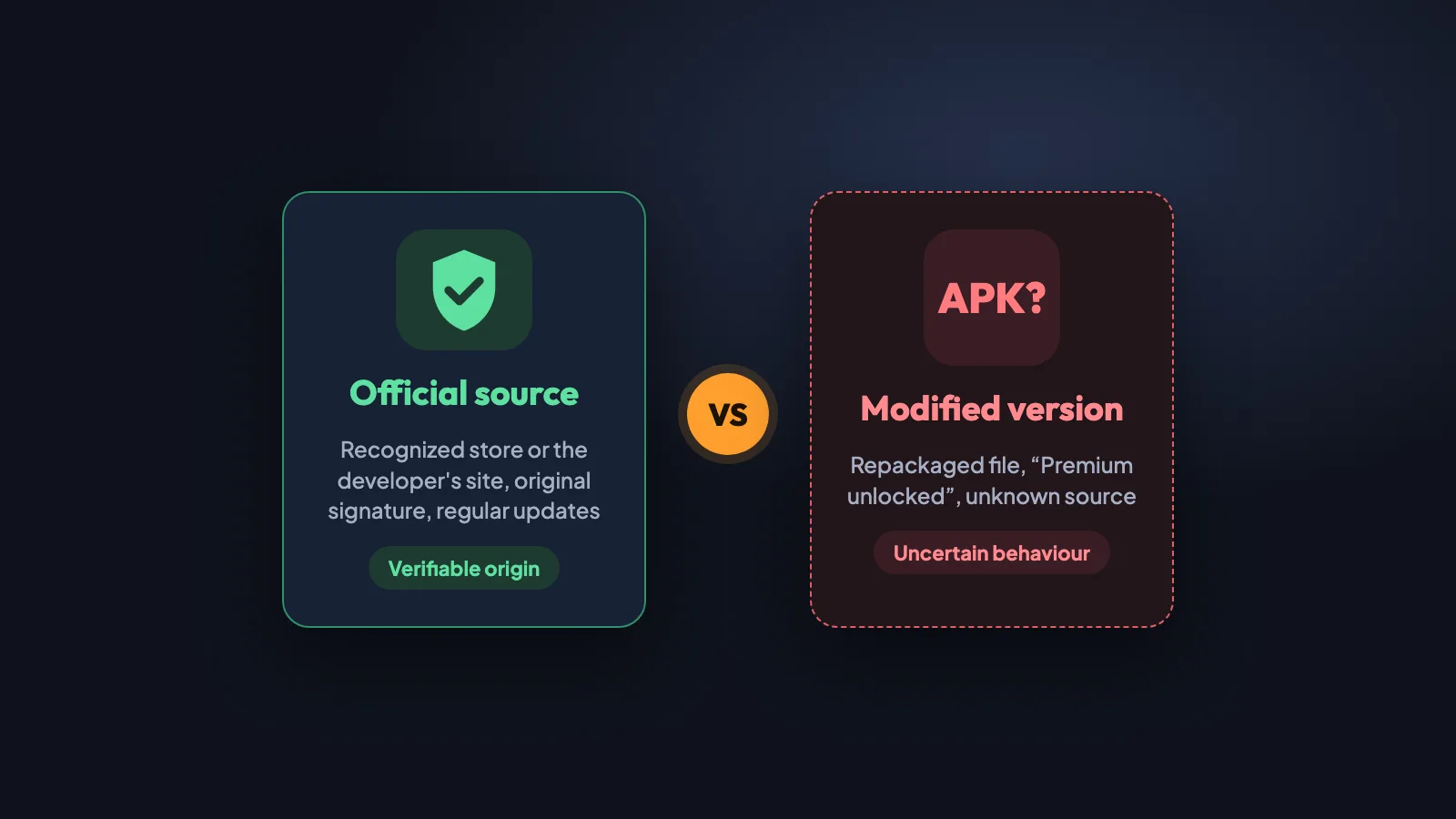
Recognized store
Google Play, App Store, Samsung and LG stores, Microsoft Store. The app is published by its developer, scanned by the store and updated automatically. It is the easiest source to verify.
Developer's official site
Some apps are not in every store (on Fire TV, for example). The APK downloaded from the developer's site is the original, but it is up to you to check that the address really is theirs.
Third-party site
A download site that redistributes the file. It may be the original… or not. Nothing guarantees the file has not been replaced, or that it is the latest version.
Modified version
An app whose code has been changed by a third party: paid features "unlocked", ads removed or added, a server preconfigured. It is no longer signed by the developer and no longer receives its fixes.
An official source is not an absolute guarantee: a store app can have bugs or collect more data than it needs. But its developer can be identified, its privacy policy is published and its fixes keep coming. A modified IPTV app adds uncertainty on three points: its integrity (has the code been changed?), its origin (by whom?) and its behaviour (what does it really do?).
An often overlooked detail: an APK file carrying the name of a well-known app is not necessarily that app. A file name, an icon and a description can be copied in seconds. What sets the original apart is the developer’s digital signature: a modified version has to be signed with a different key. That is also why Android refuses to install a modified version over the official one (“conflicts with an existing package”): take that warning seriously.
What an IPTV app knows about you
To show your channels, an IPTV app needs to connect you to your provider’s server. Depending on the app, it may receive:
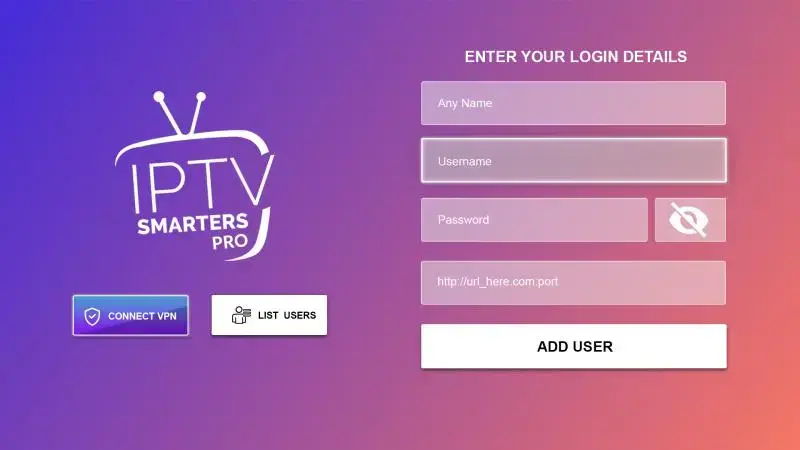
- the server or playlist URL (for example
http://server-name:port); - your username and password (Xtream Codes login);
- your M3U link, which itself contains your username and password in the address (what’s inside an M3U file);
- a MAC address or an activation key, for apps you activate from a website (IBO Player, Hot Player, etc.);
- technical information about the device: model, system version, language, network in use.
All of this is needed for the app to work: a legitimate app uses it to connect you, and nothing more. The problem starts when you no longer know what the app does with it.
How this information could be exposed
A malicious or modified app could, depending on its code and the permissions granted, record this information, send it to a third-party server or reuse it. This is a potential risk, not a certainty: many modified versions only unlock paid features. The difficulty is that a user cannot check what the code does. Between a harmless modification and one that collects your login details, the screen looks exactly the same.
Modified apps: the possible security risks
Beyond your login details, a modified version can expose your device to several problems, depending on the version used:
- Code added without authorization: the modification can introduce functions the original does not have.
- Excessive data collection: contacts, other installed apps, technical identifiers, unrelated to playing channels.
- Intrusive ads or redirects to gambling sites or fake downloads.
- Connections to unknown servers, controlled neither by the original developer nor by you.
- No reliable security updates: a flaw fixed in the official version stays open in the modified one.
- Vulnerabilities introduced by the modification itself, more often through carelessness than malice.
- Nobody to turn to: if something goes wrong, there is no way to identify who is responsible for your data.
Example: official TiviMate and “Premium unlocked” versions
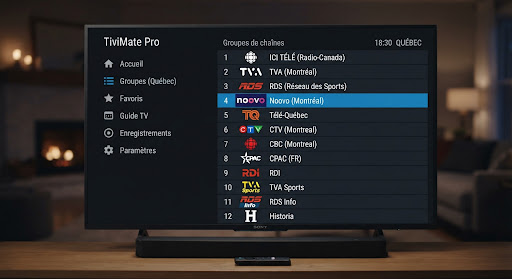
TiviMate is a good example, precisely because the official app is a serious one. Its official version is on Google Play; the advanced features (TV guide, favourites, recording) come with TiviMate Premium, bought inside the app. TiviMate is not in the Amazon Appstore: on a Fire TV Stick you install it with Downloader, which means checking yourself that the link leads to the developer’s file.
Versions sold as “TiviMate Premium unlocked” circulate on third-party sites. A modded TiviMate APK is no longer the developer’s TiviMate: it may behave differently from the official version, and there is no way to know what was changed.
When the server URL field disappears
One case deserves particular attention. Some modified versions hide, remove or no longer show the field where you enter the host (the server URL): the server is already built into the app. The possible consequences:
- you do not know which server the app actually connects to;
- it becomes hard to check the origin of the connection and the content;
- troubleshooting an outage gets harder, because you cannot see the address in use;
- you have less control over your setup: no way to change server or provider.
A hidden URL is not proof of data theft or malicious behaviour. It may come from a version preconfigured by a reseller, a simplified interface, or a modification meant to force a specific server. It should simply make you ask: who configured this app, and why? Official apps let you enter the server URL and view it (where to find yours and what to enter).
Apps “offered” by some resellers: what you should know
Some IPTV resellers distribute their own app, presented under their service’s name and logo. It is not always an original creation: it may be an existing app, such as TiviMate or another well-known player, whose name, logo, interface or some settings — a built-in server, for example — have been changed to tie it to the reseller’s service.
These apps are sometimes presented as a free gift or a perk included with the subscription. That presentation can suggest an exclusive or premium app, when it may be a third-party app that has been modified or simply renamed. The customer thinks they are getting a tool built for them; sometimes they get a copy whose origin nobody vouches for.
Two situations need to be told apart:
- A licensed white-label app: some developers officially sell a customizable version of their player. The reseller has a contract, the app is signed and updated, and the original developer can be identified. This is a legitimate practice.
- An app renamed without permission: an existing app’s code has been modified and redistributed under another name, without its developer’s consent. It then carries all the risks described above, without updates, and with a licence (TiviMate Premium, for example) that was not obtained the normal way.
From the outside, the two look alike. A few questions help tell them apart:
Who developed it?
Ask the reseller for the name of the app's developer. A licensed white-label app has a developer you can name; a renamed copy rarely does.
Where is it distributed?
An app available only through a direct link to an APK file, absent from every store, deserves extra checks.
Is the server visible?
If the server URL is built in and cannot be viewed, you do not know what the app connects to (see above).
Is there a privacy policy?
A serious app states what data it collects and who is responsible for it. Its absence is a warning sign.
None of this means the reseller has bad intentions: they may not know where the app they distribute comes from. But an “offered” app is no safer than any other just because it is free or carries your service’s name. The right habit stays the same: check the origin before entering your login details, and prefer the official version of a well-known app when there is one.
Personal data: what can be exposed
Depending on the app’s capabilities and the permissions granted, here is what may be involved. The third column separates what the app necessarily sees from what depends on its code.
| Information | Why the app has access to it | What could happen |
|---|---|---|
| Username, password, URL, M3U link | Needed to log you in | Always visible to the app; sending them to a third party would require malicious code |
| History and preferences (channels, favourites) | App features | Normally stay on the device; a modified version could send them out |
| Device technical identifiers | Activation, licences, statistics | Can be used to recognize your device from one session to the next |
| Network information | Connecting to the server | Depending on permissions: Wi-Fi network name, nearby devices |
| IP address and connection metadata | Unavoidable as soon as you connect to a server | Visible to every server contacted, including unknown ones |
IPTV privacy therefore does not depend only on your provider: it also depends on the app you trust with your access.
How to protect your device and your login details
These eight habits cover the essentials of IPTV app security, with no technical skills required.
Choose an official source
Install the app from your device's store or from its developer's site. Our setup guide lists the recommended source, device by device.
Check the address before downloading
Before downloading an APK, read the exact address of the site: one extra letter or an unusual domain name is enough to change the source. With Downloader, prefer an address you can read over a code whose destination you do not know.
Avoid "Premium unlocked" versions
No modified APK, no paid version turned free, no file from an anonymous group or forum. If the name of the downloaded file does not match the advertised app, stop there.
Check the permissions
An IPTV player needs internet access and storage, not your contacts, microphone or messages. On Android and Fire TV: Settings, Applications, then the app and its permissions.
Keep the device up to date
Update the system and your apps: security fixes only come through official sources.
Don't reuse passwords
Your IPTV login details should be used for IPTV only. If the same password also protects your email or your bank, a leak becomes far more serious.
Never share your playlist
Don't post your M3U link or login details in a group, a forum or a screenshot: the M3U link contains your password.
Act if in doubt
Suspicious app? Uninstall it, change your login details, then reinstall an app from an official source.
Downloading an APK safely: the practical checks
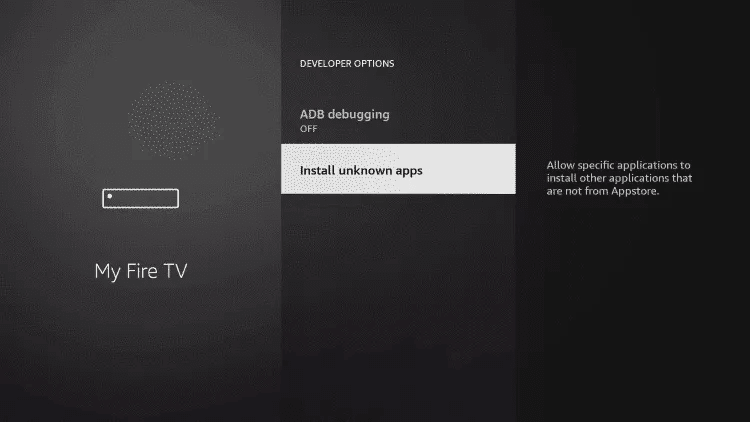
On Fire TV or a box without a suitable store, installing an APK is sometimes unavoidable. To download an APK safely:
- Start from the developer’s site and copy the download address it gives, rather than a link found in a comment or a video.
- Compare the downloaded file name with the expected app: a file with a different name is not the advertised app.
- On an Android device with Google Play, keep Play Protect turned on: it also scans apps installed outside the store.
- After installing, check in Settings, Applications, that the name and developer shown are the expected ones.
- If Android refuses an update because of a “conflict” with the installed app, the signatures differ: one of the two versions is not the developer’s.
If you suspect your details were compromised
Uninstall the app, then change your login details: at IPTV Québec HD you can reset your subscription from the client area (portal guide) or write to support. Also change the password of any other service that used the same one. Then reinstall an app from an official source with the new details. To protect your IPTV login over time, the combination is what matters: a verifiable source, a unique password, and no sharing.
Our recommendation at IPTV Québec HD
At IPTV Québec HD, we recommend that our customers favour apps obtained from official sources whose origin can be verified. An official IPTV app is not perfect, but it has a developer, a privacy policy and updates.
When an app runs into download, compatibility or performance problems, we suggest an alternative suited to the customer’s device. Hot Player, for example, is available in the Samsung and LG stores (as HOT IPTV), in the App Store and in the Microsoft Store; on Fire TV it installs with Downloader, and we check the file’s source with you. No app can be presented as completely safe: the right choice takes five criteria into account.
Origin
Recognized store or the developer's site, original signature.
Permissions
Only what is needed to play channels: internet access and storage.
Updates
Regular fixes, published by the developer.
Privacy policy
A document that states what data is collected and by whom.
Actual behaviour
The server URL visible and editable, no unexpected ads or redirects.
The setup guide lists the recommended app for each device — Fire TV Stick, Samsung and LG Smart TV, Android box — with screen-by-screen steps. Unsure about an app, or your setup does not work? Write to our team: we will help you choose a suitable app and set it up.
In summary
A modified app is not necessarily dangerous, but it is unverifiable — and it is the one holding your login details. Install your apps from an official source, check the address and the permissions, keep a unique password for IPTV and never share your playlist. An app “offered” with a subscription deserves the same checks: a new name and a new logo say nothing about its origin. If in doubt, uninstall, change your login details and start again from an official version.
Further reading
- Setup guide: the recommended app for each device
- TiviMate guide: install, server address, playlist and TV guide
- IPTV Smarters Pro guide: Fire TV, Android, Samsung, iPhone
- M3U IPTV playlists explained
- V12Mate stuck on the Cancel button: causes and alternatives
- Is IPTV legal in Canada?
- See the plans and the 24-hour trial