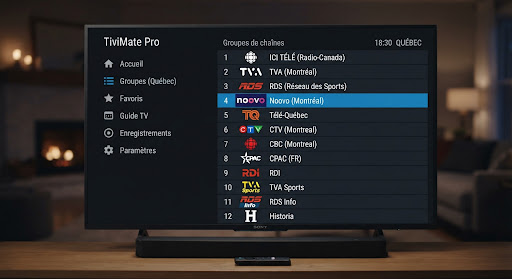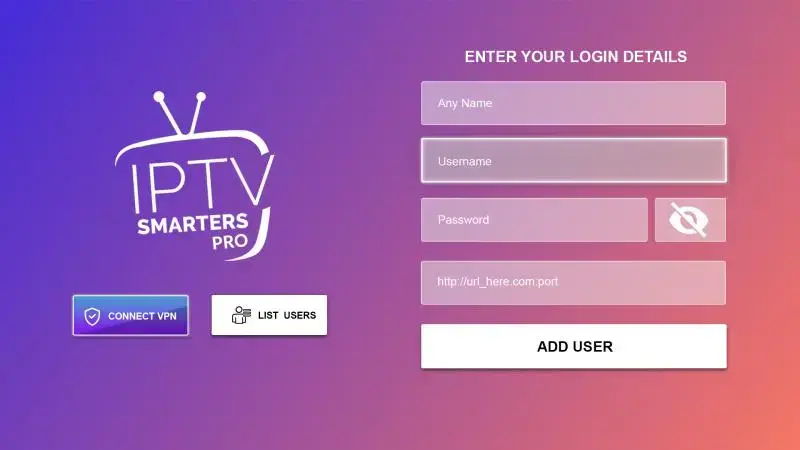

An M3U playlist file (often called an M3U IPTV file) is a plain text file that lists video stream addresses, one per line, with each channel’s name and logo. It contains no video: it is a table of contents your player (TiviMate, VLC, IPTV Smarters, IBO Player) reads to display channels, then fetches each stream from the address listed. With a provider, that link is tied to your account and works as long as the subscription is active; in a “free playlist” found on GitHub or Reddit, the addresses die within a day or two because nobody maintains them. Here is what’s inside, when to prefer it over Xtream Codes credentials, and how to load it in each app.
What’s inside an M3U playlist file
Open an M3U in Notepad and you will see something like this:
#EXTM3U
#EXTINF:-1 tvg-id="TSN1.ca" tvg-logo="https://…/tsn1.png" group-title="Sports CA",TSN 1 HD
http://server.example/live/username/password/1234.ts
#EXTINF:-1 tvg-id="CBC.ca" tvg-logo="https://…/cbc.png" group-title="Canada",CBC Toronto HD
http://server.example/live/username/password/1235.ts
Anatomy of an M3U line
Each channel takes two lines: an #EXTINF line with its metadata, then the stream address below it. Taking the first channel above:
#EXTINF:-1opens the M3U line;-1means a live stream with no fixed duration.tvg-id,tvg-logo,group-titleare the attributes for the TV guide, the logo and the category (details below).,TSN 1 HD— everything after the last comma is the name shown in your player.- The next line,
http://…/1234.ts, is the M3U stream address the player actually plays.
A 30,000-channel subscription is therefore a 60,000-line file — a few megabytes of text the player parses in seconds.
Three details that matter:
tvg-idlinks the channel to the TV guide (EPG). Without it, no programme information — the number one cause of “empty guide” complaints on Formuler and TiviMate.group-titlecreates the categories (Canada, Sports, Movies, Québec…). A careful provider names them clearly; a free list leaves them in a heap.- The
.m3u8extension is the same format encoded in UTF-8 — needed for accents. Both load the same way.
M3U or Xtream Codes: which to use
Your provider usually gives you both. They open the same channels, but not in the same way.
Xtream Codes (recommended)
Three pieces of information: the server URL, a username and a password. The player queries the server and receives channels, categories, the TV guide and the movie and series catalogue, updated automatically. Nothing to reload when the provider adds a channel.
M3U link
A single address that returns the full list. Handy for VLC, some TVs and basic players, but video on demand and the TV guide often have to be added separately (a distinct EPG link), and the list only refreshes when the player downloads it again.
MAC address (portal)
On IBO Player, Smart STB or keyboard-less TVs, the app shows a MAC address; you register your subscription on the player's website by pasting your Xtream credentials or M3U link there. See the IBO Player guide.
Simple rule: Xtream Codes wherever it’s offered (TiviMate, IPTV Smarters Pro, IBO Player, Formuler, XCIPTV), M3U only when the app accepts nothing else.
Loading an M3U in each player
Device-by-device screenshots are in the setup guide; here are the essentials.
TiviMate (Android TV, Fire TV, Shield)
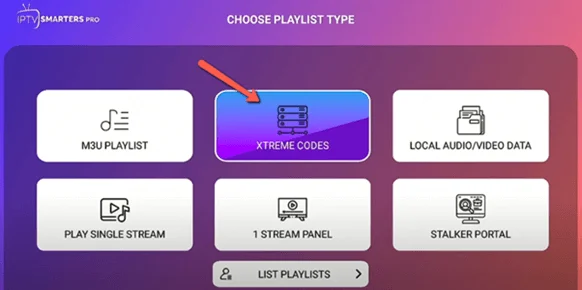
Add playlist → "M3U playlist" → paste the link, then add the EPG link on the same screen for the TV guide. If you have Xtream credentials, pick "Xtream Codes" instead: the guide comes by itself.
IPTV Smarters Pro (Android, iOS, Samsung, LG, Windows)
Home screen → "Load your playlist or file/URL" → paste the M3U link and name it. For movies and series, prefer "Login with Xtream Codes API".
IBO Player / IBO Pro (Samsung, LG, Fire TV)
Note the MAC address shown, go to the player's website, enter the MAC and paste your M3U link or Xtream credentials. Restart the app: the list loads.
VLC (Windows, Mac, Linux, Android)
Media → Open Network Stream → paste the M3U link. VLC plays channels one by one, with no guide or categories: useful for troubleshooting, not comfortable day to day.
Formuler (MyTVOnline)
Add portal → "Xtream Codes" or "M3U". If the guide stays empty, check the EPG link and the time offset.
How to add an M3U playlist to TiviMate
- Open TiviMate and choose Add playlist (or Settings › Playlists › Add playlist).
- Pick M3U playlist, then Enter URL, and paste the M3U link from your client area.
- Select Next: TiviMate processes the list and shows how many channels it found.
- Add the EPG link (Settings › EPG › EPG sources) so the TV guide fills in, and set the time zone to America/Toronto.
- Name the playlist and select Done.
If your provider also gives Xtream Codes, use TiviMate’s Xtream Codes option instead: you enter the TiviMate server address, username and password, and the guide and video on demand come automatically.
Want a full walkthrough? See our TiviMate guide and IPTV Smarters Pro guide.
M3U vs M3U8, creating or editing a list
M3U8 is the same format as M3U, encoded in UTF-8: it keeps accented names (Télé-Québec, ICI Radio-Canada Télé). If your channel names show strange characters, ask for the M3U8 link.
Creating or editing an M3U works in any text editor (Notepad, TextEdit, VS Code): the first line must be #EXTM3U, then each channel takes two lines (#EXTINF, then the address). In practice, editing a subscription’s list is pointless because it is regenerated on every load. To keep only some channels, use your player’s favourites, or the customisable list on the Raccoon and Edge servers.
Common M3U errors and fixes
| Symptom | Likely cause | Fix |
|---|---|---|
| “Unable to load playlist” | Link copied wrong (space, extra character) or expired subscription | Copy the link again from the client area; check the expiry date |
| List loads but no channel plays | Too many devices connected or stream down | Close the app on other screens; restart the player |
| Empty TV guide (EPG) | No EPG link, or missing tvg-id |
Switch to Xtream Codes, or add the EPG link; set the time zone to America/Toronto |
| Programmes shifted by a few hours | Wrong time zone in the player | Set the EPG offset to Eastern Time |
| Garbled accents | M3U file not UTF-8 | Use the M3U8 link |
| Drops on game night | 2.4 GHz Wi-Fi or low bandwidth | 5 GHz Wi-Fi or Ethernet, 25 Mbps minimum |
Why free playlists die within 48 hours
Search “free m3u iptv” and you will find GitHub repositories, Reddit threads and sites promising 5,000 premium channels with no subscription. They sometimes work… the first evening. Here is why they stop:
- The streams are borrowed. Most “premium” addresses are a paying subscriber’s credentials, copied and shared. The provider spots the multiple connections and cuts the account; every line becomes a “cannot play stream” error.
- Addresses change. Channels that legitimately stream online rotate their stream URLs regularly. The frozen list doesn’t follow. The most popular repositories themselves report 60–90% dead channels in their automated tests.
- Nobody is watching. A subscription pays for servers in Canada, bandwidth for game nights and a team that restarts a dead stream before you notice — what your subscription really funds. A free list funds nothing.
- The real price is paid elsewhere. Apps demanding excessive permissions, lists that redirect to gambling sites, malware in “free” APKs: that is how playlist distributors make money.
Add the legal question: aggregating paid channels without permission is not a grey area, and a free-list user has no recourse when it goes dark. Our article on whether IPTV is legal in Canada explains how to tell an identified provider from an anonymous aggregator.
The M3U from a subscription: what changes
At IPTV Québec HD, your client area shows each subscription’s Xtream Codes credentials and M3U link. That link is personal (it contains your username), regenerated on every load (a new channel shows up without you doing anything) and valid on the number of devices in your plan — 1, 2 or 3 simultaneous connections. If the provider replaces a stream’s address, your player receives the new one on the next start.
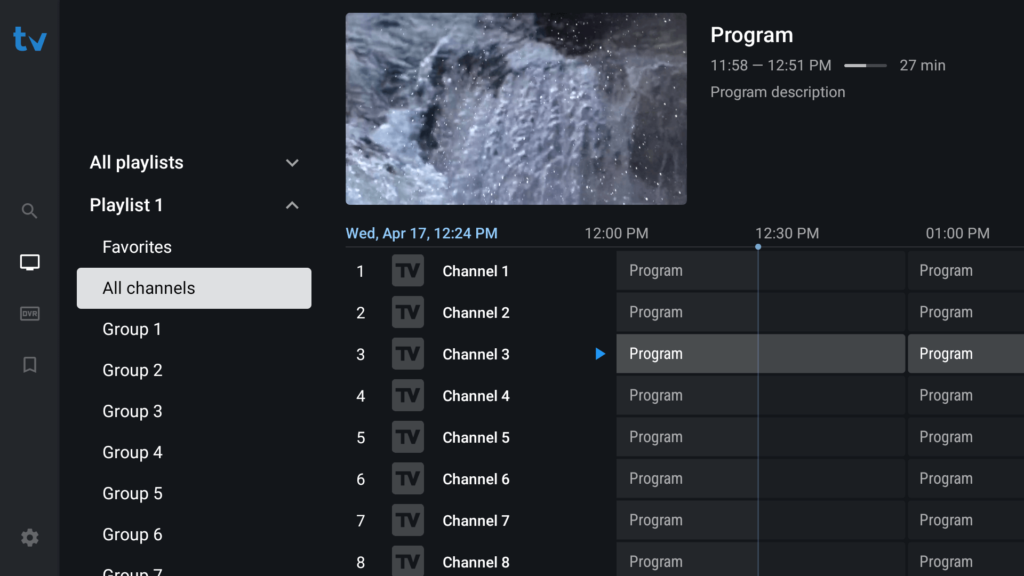
The TV guide, logos, categories and the 37,000 movies and 12,000 series in the catalogue arrive through the same account, with no EPG link to add when you use Xtream Codes. The portal guide shows where to find this information, and the 24-hour trial for $2.99 gives you a real M3U link to test on your TV before committing.
In summary
An M3U is a list of addresses, not channels: it is worth exactly what the server behind it is worth. Use Xtream Codes wherever your player accepts them, keep M3U for VLC and basic apps, and be wary of free lists — they don’t die from bad luck, they die because nobody pays to maintain them.
Further reading
- TiviMate guide: install, playlist, EPG and favourites
- IPTV Smarters Pro guide: Fire TV, Android, Samsung, iPhone
- Best IPTV apps for Quebec and Canada
- Best IPTV setup for Firestick in Canada
- IPTV Quebec free trial: how to test before buying
- What’s included in an IPTV subscription
- Setup guide: every device, screen by screen
- IPTV Canada: Canadian channels on Canadian servers